the tech buzz

SUBSCRIBE
AIEnterpriseDealsSecurityCrypto
Newsletter

the tech buzz

Your premier source for technology news, insights, and analysis. Covering the latest in AI, startups, cybersecurity, and innovation.

FOLLOW US

THE DAILY

Get the latest technology updates delivered straight to your inbox.

Company

  • About Us
  • Editorial Team
  • Write For Usnew
  • Contact Us
  • Advertisenew

Legal

  • Privacy Policy
  • Terms of Service
  • Cookie Policy
  • Disclaimer
  • EULA
  • AI Code of Conduct

Resources

  • Newsletters
  • RSS Feeds
  • Subscribe
  • Pricing & Packages
  • Sitemap
  • Archives
  • TechBuzz Pressnew

PUBLISH WITH US

Reach 1.1M+ subscribers via TechBuzz Press.

TechBuzz Press

HAVE A TIP?

Send us a tip using our anonymous form.

Send a tip

HAVE QUESTIONS?

Reach out to us on any subject.

Ask Now

Browse by Category

AIBlockchainCloudSecurityDataDealsInvestmentsEnterpriseVenturesIoTMobileRoboticsSoftwareStartupsAppleMetaMicrosoftOpenAiGoogleTesla

© 2026 The Tech Buzz. All rights reserved.

the tech buzz

Password Managers Now Handle Your Digital Legacy After Death

ArticlesNewsletters
ArticlesNewsletters
Consumer Tech

Password Managers Now Handle Your Digital Legacy After Death

Password managers add emergency access features to help families inherit digital assets

by The Tech Buzz

PUBLISHED: Mon, Sep 29, 2025, 11:40 AM UTC | UPDATED: Fri, Sep 4, 2026, 5:57 PM UTC

Add as a preferred source on Google
Password Managers Now Handle Your Digital Legacy After Death

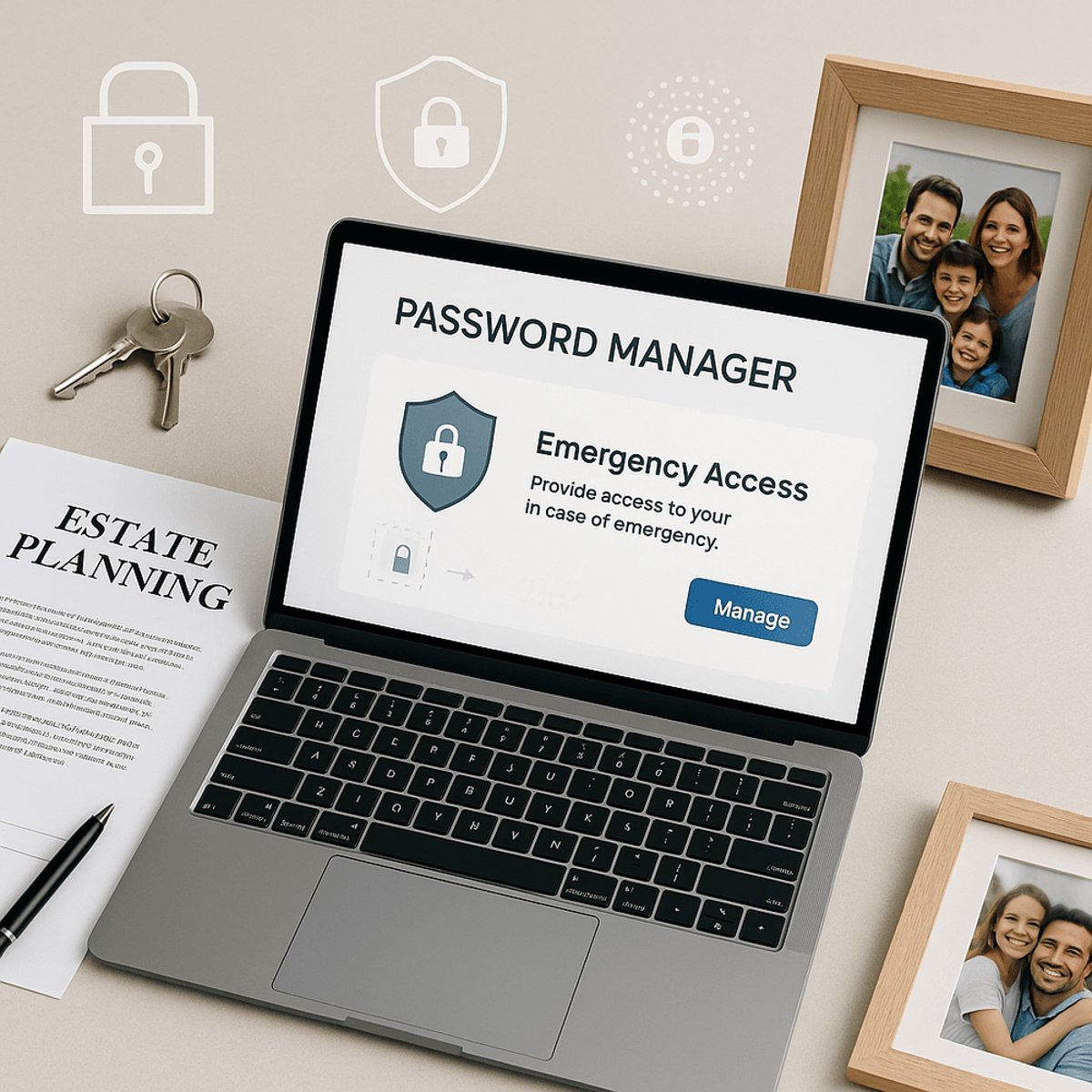
Death planning just got digital. Password managers like Proton Pass, 1Password, and NordPass are rolling out emergency access features that let you transfer your entire digital life to trusted contacts without court orders or legal documentation. As digital assets multiply and traditional services lag behind, these tools offer immediate solutions to a growing problem that affects millions of families.

The digital afterlife used to be an afterthought. Not anymore. Password managers are stepping into a legal vacuum, offering emergency access features that solve one of the most pressing problems facing modern families: what happens to your digital life when you die?

Proton Pass recently launched emergency access across its entire suite - not just passwords, but encrypted email, cloud storage, and crypto wallets. The feature lets you designate trusted contacts who can request access to your account. After a waiting period you set (anywhere from immediate to 30 days), they get read-only access to everything. "Emergency access isn't restricted to one app with Proton," the company explains. "It's access to your entire account."

The timing couldn't be better. While Apple and Meta offer legacy contacts for specific services, most platforms leave families stranded. The American Bar Association is still grappling with the legal complexities, and accessing deceased accounts often requires court orders that can take months or years.

1Password takes a different approach entirely. The company's zero-knowledge architecture means even 1Password can't decrypt your vault in an emergency - which is great for security but challenging for inheritance. Instead, they offer an Emergency Kit - a downloadable PDF containing your email, secret key, and space for your master password. "You can print off a physical copy before wiping any trace of it digitally," according to Wired's detailed guide. The kit goes in your will or safe-deposit box like any other important document.

Advertisement

NordPass splits the difference with a seven-day waiting period system. Trusted contacts can request access anytime, but you have a week to deny the request before your vault automatically unlocks. Unlike the others, emergency contacts get read-only access - they can view passwords but can't edit, delete, or share anything.

The legal landscape remains messy. "Accessing someone else's account, even with their username and password, isn't legal if it violates the platform's terms of service," the American Bar Association notes. Laws vary by state, making attorney consultation wise for long-term planning.

But password managers sidestep much of this complexity. "For anyone thinking about digital legacy, the best step is to set up Emergency Access in advance," NordPass advises. "Clearly communicate the use cases of the credentials with your trusted contacts, and follow the terms of service of respective platforms."

The scope goes far beyond passwords. These tools can store vehicle documents, software licenses, gate codes, device PINs, and 2FA recovery information. Proton Pass includes 10GB of encrypted storage, while 1Password and NordPass offer 1GB and 3GB respectively - enough for crucial documents that shouldn't sit in shared cloud folders.

Digital executors are emerging as a new profession, operating like traditional will executors but for online assets. However, probate can take months or years, leaving families locked out when they need immediate access most. Password manager emergency features bridge that gap.

Advertisement

The shift reflects how completely digital our lives have become. Netflix subscriptions drain bank accounts indefinitely. Cloud photos disappear into data centers. Passkeys and social sign-ons create webs of dependencies that are nearly impossible to untangle without the original owner's cooperation.

"Today, precious little exists only in the physical world," notes the Wired analysis. "Nearly everything is tied to an online account or service in some way." Traditional estate planning hasn't caught up to this reality.

The password manager approach isn't just about death - it's about any situation where you can't access your accounts. Medical emergencies, natural disasters, or extended travel can all trigger the need for emergency access. These features serve the living as much as they serve the dead.

Password managers are solving digital inheritance faster than lawmakers or tech platforms. While legal frameworks catch up, emergency access features offer families immediate, practical solutions for transferring digital assets. The key is setting up these systems before you need them - death planning in the digital age requires the same advance preparation as traditional estate planning, just with different tools.
Advertisement

Advertisement

Trending Now

1

GoPro CEO Vows Cameras Stay Core After Starman Deal

2

Judge Splits Ruling in X vs. Twitter Rival Fight

3

Tim Cook Steps Down, Ternus Takes Apple's Helm

4

Google's Lyria 3.5 Brings AI Music to Gemini

5

Google Translate Gets Listening Mode, Live Background Mode

People Also Ask

Emergency access is a feature in password managers that lets you designate trusted contacts who can request access to your passwords and digital accounts after death or during emergencies. Services like Proton Pass, 1Password, and NordPass offer different approaches with waiting periods ranging from immediate to 30 days.

Proton Pass emergency access covers your entire account - passwords, encrypted email, cloud storage, and crypto wallets. You designate trusted contacts who can request access, then after a waiting period you set (immediate to 30 days), they receive read-only access to everything in your account.

A 1Password Emergency Kit is a downloadable PDF containing your email, secret key, and space for your master password. Due to 1Password's zero-knowledge architecture, this physical document must be printed and stored in your will or safe-deposit box for inheritance purposes.

Password managers offer varying storage for digital legacy documents: Proton Pass includes 10GB of encrypted storage, 1Password offers 1GB, and NordPass provides 3GB. This storage can hold vehicle documents, software licenses, gate codes, device PINs, and 2FA recovery information.

The legal landscape is complex and varies by state. The American Bar Association notes that accessing accounts with someone's username and password may violate platform terms of service. Password manager emergency features help sidestep some complexity, but attorney consultation is recommended for estate planning.

NordPass uses a seven-day waiting period system. Trusted contacts can request access anytime, but the account owner has one week to deny the request before the vault automatically unlocks. Emergency contacts receive read-only access and cannot edit, delete, or share passwords.

More in Consumer Tech

Judge Splits Ruling in X vs. Twitter Rival Fight

Judge Splits Ruling in X vs. Twitter Rival Fight

Tim Cook Steps Down, Ternus Takes Apple's Helm

Tim Cook Steps Down, Ternus Takes Apple's Helm

Google Translate Gets Listening Mode, Live Background Mode

Google Translate Gets Listening Mode, Live Background Mode

Samsung Sweeps IFA 2026 Innovation Awards

Samsung Sweeps IFA 2026 Innovation Awards

Feds Probe Tesla Cybercab Hours After Austin Launch

Feds Probe Tesla Cybercab Hours After Austin Launch

Instagram's AI Labels Are Misfiring Badly

Instagram's AI Labels Are Misfiring Badly

More Articles

Ugreen Bets Its NAS Roots on Smart Home AI

Ugreen Bets Its NAS Roots on Smart Home AI

Sep 4

Tesla's Cybercab Launch Was Oddly Quiet

Tesla's Cybercab Launch Was Oddly Quiet

Sep 4

Microsoft Caps Xbox Cloud Gaming Hours in November

Microsoft Caps Xbox Cloud Gaming Hours in November

Sep 3

Qualcomm Bets $70M on Ultrahuman's Smart Ring Leap

Qualcomm Bets $70M on Ultrahuman's Smart Ring Leap

Sep 3

Sonos CEO Reveals AI Overhaul With Sonos 27

Sonos CEO Reveals AI Overhaul With Sonos 27

Sep 3

Nvidia's RTX Spark Chip Brings AI PCs to Life

Nvidia's RTX Spark Chip Brings AI PCs to Life

Sep 3