Samsung just rolled out AMS (Account Management Solution), a new platform that transforms shared classroom displays into personalized, cloud-connected workspaces for teachers. The solution lets educators sign in with QR codes or NFC-enabled ID cards to instantly access their files, apps, and settings across any compatible Samsung Interactive Display - addressing a growing pain point as schools deploy more shared hardware. The launch comes with integration support for emergency alert platforms InformaCast and Raptor through Samsung Education Portal.
Samsung is making a play for the education technology market with AMS (Account Management Solution), a new platform that turns shared classroom displays into personalized workspaces that follow teachers from room to room.
The core problem Samsung's solving is straightforward but widespread. As schools deploy interactive displays across classrooms, teachers who move between rooms waste time setting up their workspace on each new display. Personal settings, lesson materials, and app configurations don't transfer, and entering passwords in front of students creates security risks.
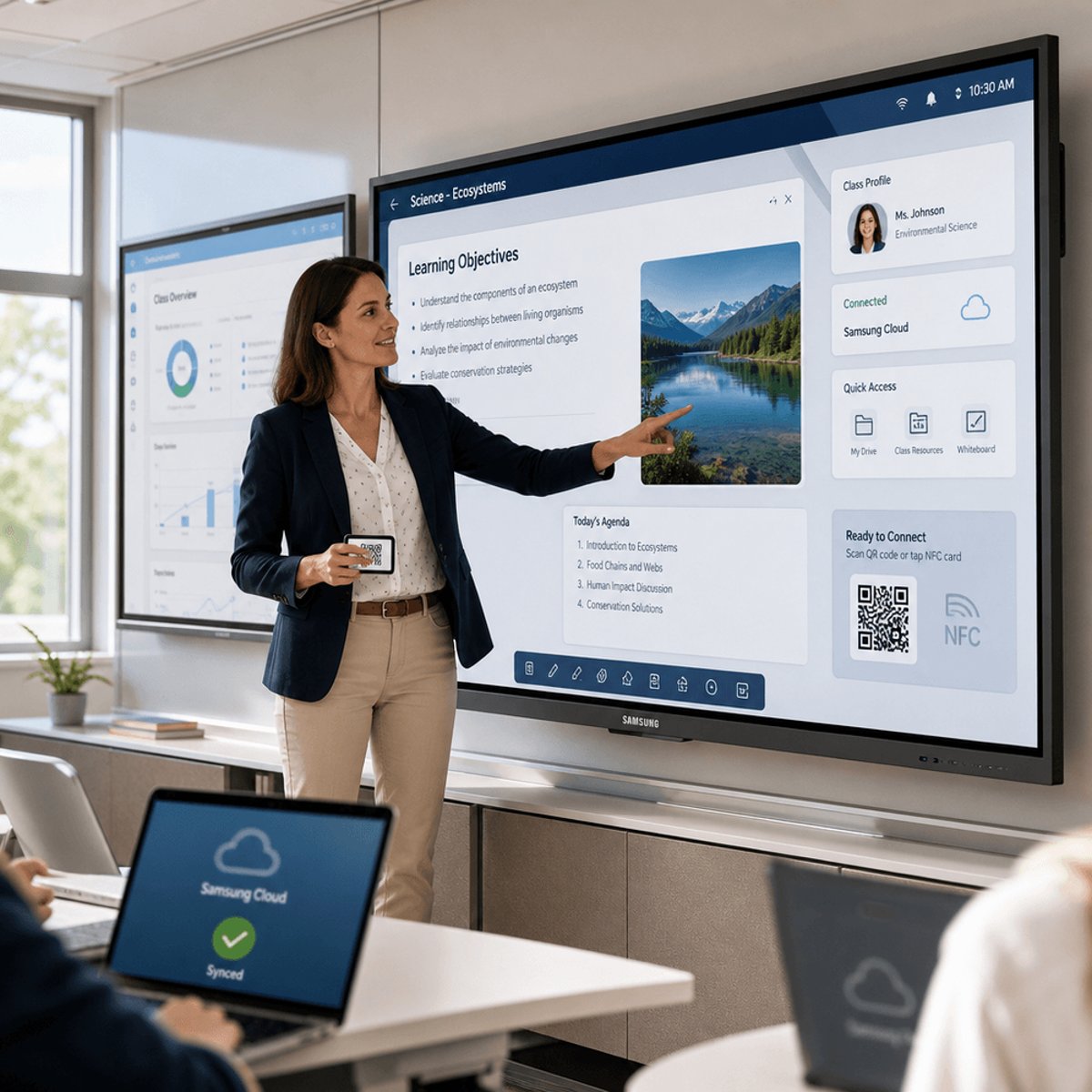
Samsung AMS tackles this with cloud-connected teacher profiles. Educators sign in using QR codes or NFC-enabled ID cards - no password typing required. Once authenticated, their complete workspace loads automatically: files, apps, wallpaper, bookmarks, and app shortcuts all appear exactly as they left them on the last display they used.
Jelena Živko, Senior Instructional Technology Specialist with Volusia County School District, described the workflow in a Samsung promotional video. "If I'm a math teacher and I have to teach in various classrooms, I can sign in, everything is ready to go, my lesson is there for me," Živko explained. "Being logged in with all of my credentials, I have access to all of my files, the tools, and my preferences."
The system extends to Samsung's AI Assistant app, which gets single sign-on access. Teachers can pull up AI-generated lesson summaries from previous classes without re-authenticating - a small but practical touch for educators juggling multiple periods.
Security is baked in through encrypted workspaces. Each teacher's profile remains isolated from others using the same display, keeping classroom content and personal settings protected from unauthorized access. That matters when multiple educators share the same hardware throughout the day.
On the IT side, Samsung Education Portal centralizes the management headaches. School technology teams can register teachers, enroll compatible Samsung Interactive Displays, and link NFC-enabled ID cards to user accounts from one portal. Displays can be organized using location tags by school, building, or classroom - useful when managing large deployments across district facilities.
But Samsung's also pushing emergency alert integration as a key selling point. The Education Portal connects with notification platforms like InformaCast and Raptor, letting IT teams configure custom alert templates and assign them to specific displays or display groups. When an emergency signal hits, the appropriate alert automatically appears on enrolled Samsung Interactive Displays across the building.
Leah Fuller, Senior Manager Vertical Sales Leader from Best Buy Education, highlighted this capability's appeal. "I think that gives a ton of assurance not just to staff but students and their families as well," Fuller noted in Samsung's announcement materials.
The launch positions Samsung more aggressively in education infrastructure, where companies like Google with Chromebooks and Apple with iPads have established strongholds. Samsung's angle here is hardware-plus-management - selling not just displays but the cloud platform and IT tools to run them at scale.
Compatibility is limited to Android-based Samsung Interactive Displays, with feature availability varying by model and region. The emergency alert functionality requires schools to maintain subscriptions to compatible notification platforms. NFC sign-in support also depends on specific display models.
What Samsung hasn't disclosed is pricing structure for AMS or how many schools are currently piloting the solution. The company partnered with Volusia County School District in Florida and Best Buy Education for testimonials, but broader adoption metrics remain unclear.
The education display market is heating up as hybrid learning models stick around post-pandemic. Schools invested heavily in digital infrastructure over the past few years, and now vendors are competing on management software and integration ecosystems rather than just hardware specs. Samsung's bet is that personalized workspaces plus centralized IT control will resonate with districts looking to maximize their display investments.
Samsung's AMS launch signals the company's push beyond hardware sales into education software infrastructure. By bundling personalized workspaces with centralized IT management and emergency alert integration, Samsung is building an ecosystem play for K-12 districts. The real test will be adoption rates and whether schools see enough value in the management features to choose Samsung displays over competitors. For now, it's a solid incremental move in a market where Google and Apple still dominate the classroom - but one that could gain traction if Samsung can prove ROI on shared display deployments.