the tech buzz

SUBSCRIBE
AIEnterpriseDealsSecurityCrypto
Newsletter

the tech buzz

Your premier source for technology news, insights, and analysis. Covering the latest in AI, startups, cybersecurity, and innovation.

FOLLOW US

THE DAILY

Get the latest technology updates delivered straight to your inbox.

Company

  • About Us
  • Editorial Team
  • Write For Usnew
  • Contact Us
  • Advertisenew

Legal

  • Privacy Policy
  • Terms of Service
  • Cookie Policy
  • Disclaimer
  • EULA
  • AI Code of Conduct

Resources

  • Newsletters
  • RSS Feeds
  • Subscribe
  • Pricing & Packages
  • Sitemap
  • Archives
  • TechBuzz Pressnew

PUBLISH WITH US

Reach 1.1M+ subscribers via TechBuzz Press.

TechBuzz Press

HAVE A TIP?

Send us a tip using our anonymous form.

Send a tip

HAVE QUESTIONS?

Reach out to us on any subject.

Ask Now

Browse by Category

AIBlockchainCloudSecurityDataDealsInvestmentsEnterpriseVenturesIoTMobileRoboticsSoftwareStartupsAppleMetaMicrosoftOpenAiGoogleTesla

© 2026 The Tech Buzz. All rights reserved.

the tech buzz

iOS 26's Liquid Glass transforms iPhone customization

ArticlesNewsletters
ArticlesNewsletters
Consumer Tech/mobile UI

iOS 26's Liquid Glass transforms iPhone customization

Apple's new Liquid Glass design language brings 3D effects and glassy widgets

by The Tech Buzz

PUBLISHED: Wed, Sep 24, 2025, 4:48 PM UTC | UPDATED: Thu, Sep 3, 2026, 5:58 PM UTC

Add as a preferred source on Google
iOS 26's Liquid Glass transforms iPhone customization

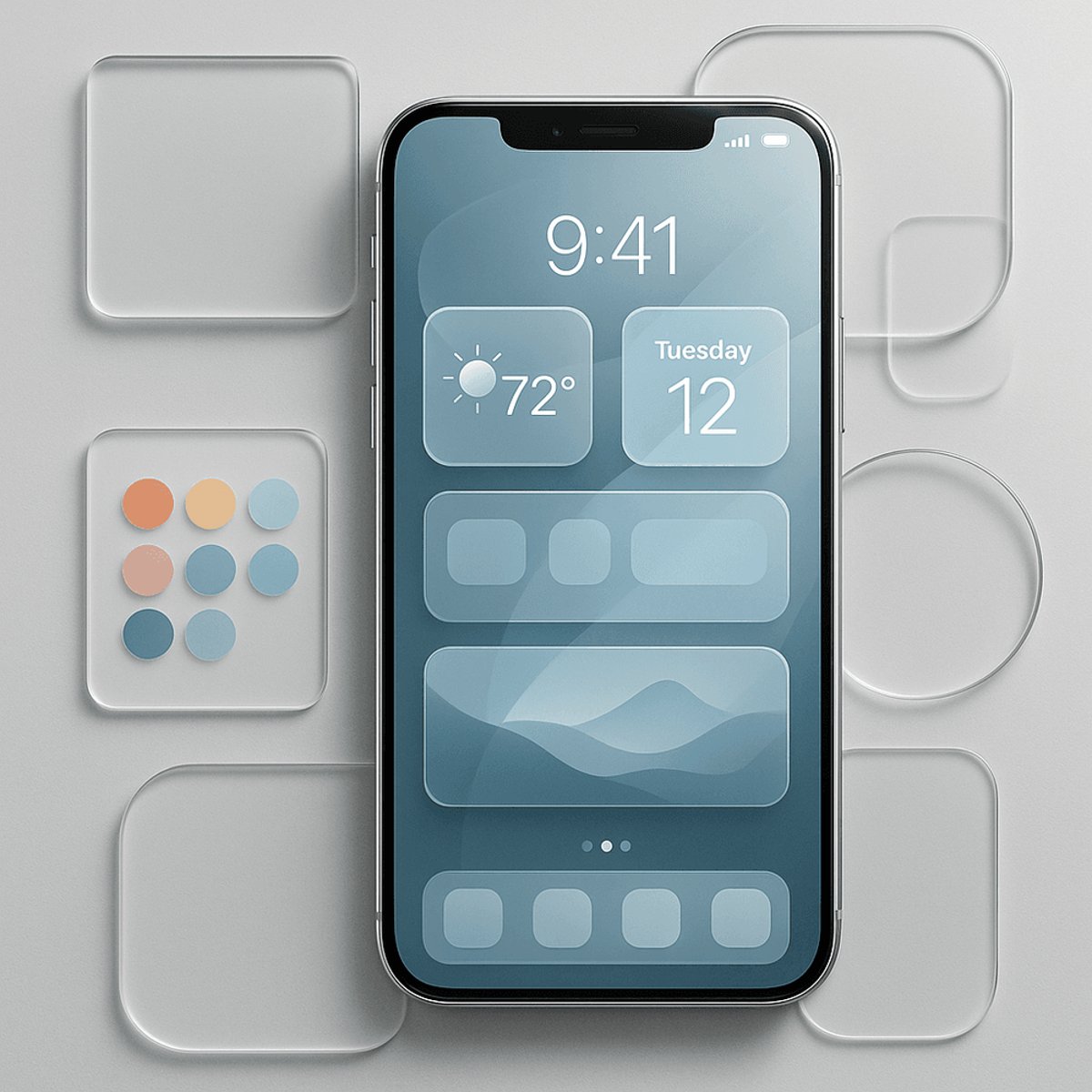
Apple just dropped its most significant interface overhaul since 2013 with iOS 26's Liquid Glass design language. The translucent, glass-like makeover transforms everything from icons to widgets, while new Spatial Scenes add 3D effects to Lock Screen photos. This isn't just eye candy - it's Apple preparing the iPhone for a future with smart glasses, and it opens up entirely new ways to customize your most personal device.

Apple's latest software update just changed the game for iPhone personalization. iOS 26's Liquid Glass design language represents the company's biggest interface shift since ditching skeuomorphic design in 2013, and early adopters are already discovering how dramatically it transforms their devices. The translucent, glass-like material now flows through buttons, sliders, notifications, and system experiences, creating a cohesive visual language that feels both futuristic and familiar. But this isn't just about aesthetics - Apple is clearly laying groundwork for its rumored smart glasses project, drawing inspiration from the Vision Pro's mixed-reality interface.

The most immediately noticeable change comes through icon customization, which has evolved far beyond iOS 18's basic color tinting. Users can now choose from light glass, dark glass, tinted glass, or completely clear icons that blend seamlessly with wallpapers. The tinting system received major improvements too - complaints about iOS 18's harsh color overlays have been addressed with more subtle effects and an eyedropper tool that samples exact colors from your wallpaper.

Apple even added "matched icons" functionality that automatically syncs icon colors to your iPhone's physical color or official MagSafe cases. iOS 26 reads your device's SKU to determine the exact model and color, then applies corresponding tints across your Home Screen. It's a small touch that creates surprising visual harmony between hardware and software.

Advertisement

Widget customization has exploded with third-party options taking advantage of the new glassy aesthetic. Apps like Widgetsmith, Brass, and Themify are seeing renewed interest as users rebuild their Home Screens around the Liquid Glass theme. Widgy has become particularly popular for custom widget creation, with designers selling "glass glossy" widget collections that seamlessly integrate with the new design language.

The Lock Screen received equally dramatic treatment through Spatial Scenes, which converts regular 2D photos into 3D wallpapers using computer vision and neural processing. Unlike similar features that require specific camera techniques, Spatial Scenes works with any photo - even older images or shots from other cameras. The glassy San Francisco typeface dynamically adjusts its weight and positioning based on the image and notifications, ensuring the time display never obscures important photo subjects.

This comprehensive design overhaul signals Apple's strategic preparation for future form factors. The Liquid Glass aesthetic directly mirrors interface elements from the Vision Pro, suggesting iOS will eventually need to run on transparent displays or AR glasses. Industry analysts have noted similarities between the new design system and mixed-reality interface patterns, reinforcing speculation about Apple's 2026 smart glasses timeline.

Advertisement

For users, the changes create unprecedented customization opportunities. The combination of clear icons, glassy widgets, spatial wallpapers, and matched device colors allows for cohesive themes that were impossible with previous iOS versions. Pinterest searches for "Liquid Glass wallpaper" have surged, while theming app downloads jumped significantly following iOS 26's release.

The technical implementation runs deeper than surface-level visual changes. Apple rebuilt fundamental interface elements to support transparency effects, dynamic color sampling, and real-time 3D processing. These aren't cosmetic tweaks - they're architectural changes that position iOS for future hardware innovations while delivering immediate benefits to current users.

iOS 26's Liquid Glass represents more than visual refresh - it's Apple's foundation for the next decade of interface design. While users enjoy immediate benefits through enhanced customization options, the real story is how these changes prepare iOS for future form factors including AR glasses. The seamless integration between hardware detection, neural processing, and interface transparency suggests Apple is building toward a unified design language that will work across traditional screens and mixed-reality environments. For iPhone users, that future starts now with the most customizable iOS experience ever created.
More Topics:
mobile UIwidgets

Advertisement

Advertisement

Trending Now

1

GoPro CEO Vows Cameras Stay Core After Starman Deal

2

Judge Splits Ruling in X vs. Twitter Rival Fight

3

Tim Cook Steps Down, Ternus Takes Apple's Helm

4

Google's Lyria 3.5 Brings AI Music to Gemini

5

Google Translate Gets Listening Mode, Live Background Mode

People Also Ask

iOS 26 Liquid Glass is Apple's new design language featuring translucent, glass-like elements across buttons, sliders, notifications, and system interfaces. It represents Apple's biggest interface overhaul since 2013, creating cohesive visual effects that prepare iOS for future AR glasses integration.

Spatial Scenes converts any 2D photo into 3D Lock Screen wallpapers using computer vision and neural processing. It works with older images and photos from other cameras, dynamically adjusting the San Francisco typeface to avoid obscuring important photo subjects.

iOS 26 offers light glass, dark glass, tinted glass, or completely clear icons that blend with wallpapers. New features include improved color tinting with eyedropper tool, matched icons that sync to iPhone's physical color, and automatic MagSafe case color coordination.

Popular widget apps include Widgetsmith, Brass, Themify, and Widgy for custom creation. These apps offer glass glossy widget collections that integrate seamlessly with the Liquid Glass design language, with Widgy becoming particularly popular for custom designs.

Apple created Liquid Glass to prepare iOS for future form factors like AR glasses and transparent displays. The design mirrors Vision Pro interface elements and builds architectural changes for unified design language across traditional screens and mixed-reality environments.

Yes, iOS 26's matched icons functionality automatically syncs icon colors to your iPhone's physical color or official MagSafe cases. The system reads your device's SKU to determine exact model and color, then applies corresponding tints across the Home Screen.

More in Consumer Tech

Judge Splits Ruling in X vs. Twitter Rival Fight

Judge Splits Ruling in X vs. Twitter Rival Fight

Tim Cook Steps Down, Ternus Takes Apple's Helm

Tim Cook Steps Down, Ternus Takes Apple's Helm

Google Translate Gets Listening Mode, Live Background Mode

Google Translate Gets Listening Mode, Live Background Mode

Samsung Sweeps IFA 2026 Innovation Awards

Samsung Sweeps IFA 2026 Innovation Awards

Feds Probe Tesla Cybercab Hours After Austin Launch

Feds Probe Tesla Cybercab Hours After Austin Launch

Instagram's AI Labels Are Misfiring Badly

Instagram's AI Labels Are Misfiring Badly

More Articles

Ugreen Bets Its NAS Roots on Smart Home AI

Ugreen Bets Its NAS Roots on Smart Home AI

Sep 4

Tesla's Cybercab Launch Was Oddly Quiet

Tesla's Cybercab Launch Was Oddly Quiet

Sep 4

Microsoft Caps Xbox Cloud Gaming Hours in November

Microsoft Caps Xbox Cloud Gaming Hours in November

Sep 3

Qualcomm Bets $70M on Ultrahuman's Smart Ring Leap

Qualcomm Bets $70M on Ultrahuman's Smart Ring Leap

Sep 3

Sonos CEO Reveals AI Overhaul With Sonos 27

Sonos CEO Reveals AI Overhaul With Sonos 27

Sep 3

Nvidia's RTX Spark Chip Brings AI PCs to Life

Nvidia's RTX Spark Chip Brings AI PCs to Life

Sep 3